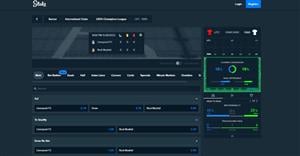
Stake.com offers sports betting and online casino games in many countries. It holds a Curacao licence and has accepted players since 2017.
This guide explains how to register, claim the welcome bonus with the Stake promo codeMONEYLINE, log in, deposit and watch live sport.
Stake.com Registration
You need an account to bet on sports, play casino games or watch live streams. Registration takes less than a minute:
Go to the official Stake website using the links on this page.
Click the 'Register' button and complete the short form, entering your email address and creating a username.
When asked for a promo code, enter the Stake.com code MONEYLINE.
To claim the welcome bonus, you need to complete Level 2 KYC verification in your Stake account.
Stake.com Welcome Bonus
New players who register with the code MONEYLINE get a 200% deposit bonus, up to $3,000, to use at the sportsbook or casino.
To get the bonus:
Register with the code MONEYLINE, as explained above
Make your first deposit of $10 or more
Contact Stake's live support and tell them you registered with the code MONEYLINE
Support adds the bonus to your account, usually within 24 to 48 hours. Deposit $1,500 to get the maximum $3,000 bonus. The deposit plus the bonus must be wagered 40 times. Terms and conditions apply.
Stake.com Login
Go to the official Stake website, click 'Sign In' and enter your username or email address and your password. To see current offers, click 'Promotions' in the menu.
Stake.com Payment Methods
Stake is mainly a crypto betting site. Popular deposit options include:
Bitcoin
Ethereum
Litecoin
Tether (USDT)
Dogecoin
Ripple
Tron
Fiat currencies are also accepted. If you do not own crypto, you can buy it after registering through MoonPay, using a credit card, debit card, Apple Pay or Google Pay. Stake shows full instructions when you log in.
Stake.com Live Streaming
Registered players can watch live sport on Stake for free, on PC and mobile. You do not need to place a bet, but you must be logged in.
Open the 'Live' section of the sportsbook. Events with a stream show a TV icon next to the odds. Click the icon to start watching.